Furnace Stopped After Outage? Thermostat Reset Tips
Furnace quit after a power outage and your thermostat is dead? Learn safe steps to check power and reset your system before calling for service.
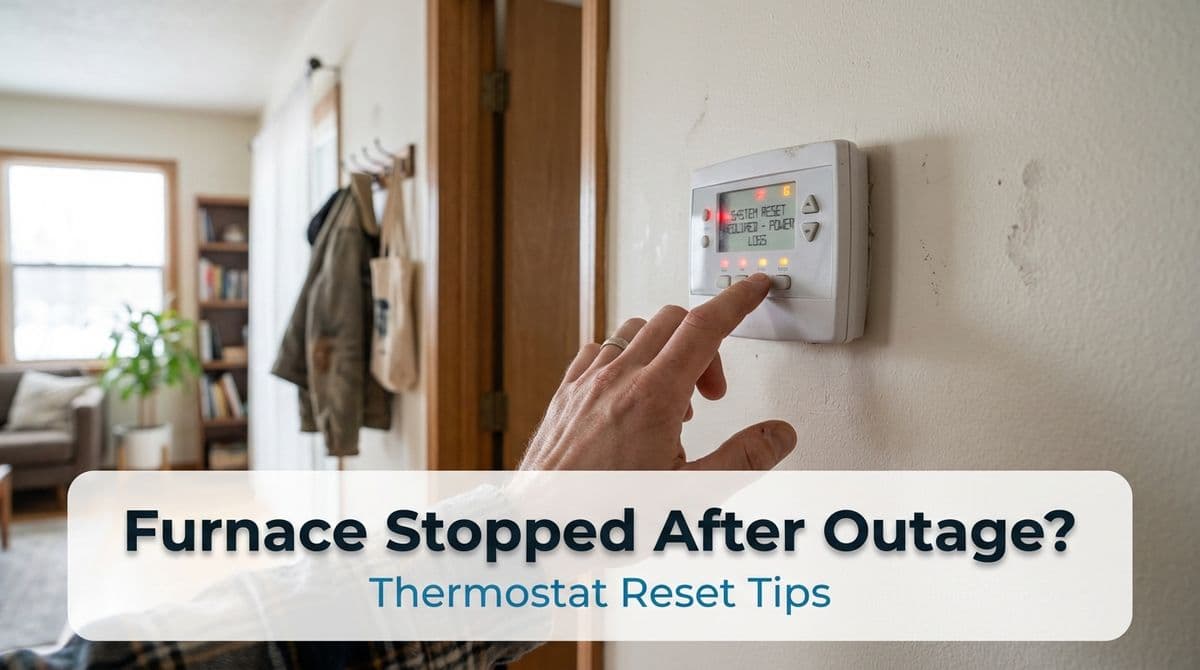
When Your Furnace Won’t Come Back After a Power Outage
We recently got an early-morning call from a customer — let’s call her Kelly — whose heat had quit working right as she was getting ready for work. She called our office in a bit of a panic because her thermostat was completely dead after a power shortage, and her downstairs power had been zapped a few times.
As we talked with Kelly on the phone that morning, she explained that she’d already checked her fuse box, had an electrician scheduled, and even removed and reinstalled her smart thermostat. Still no display, no reset option, and no heat. She was convinced there had to be a reset button on the furnace that would solve it.
We walked her through some basic steps over the phone, then scheduled a visit for later in the day. In this post, we’ll share the same safe troubleshooting steps we walked Kelly through on the phone that morning — things you can check yourself before you call for service.
Step 1: Make Sure Power to the Furnace Is Really On
After an outage or a short, it’s common for something simple to cut power to the furnace. With Kelly, the fuse to part of her downstairs kept tripping, so our first priority was making sure the furnace actually had power.
Here’s what we suggest homeowners check first:
- Breaker or fuse: Go to your main electrical panel. Look for a breaker labeled furnace, air handler, or HVAC. If it’s tripped, turn it fully off and then back on. If you have fuses, make sure the furnace fuse isn’t blown.
- Furnace service switch: Near the furnace there’s usually a regular light switch that controls power to the unit. Make sure it’s in the ON position. We’ve gone out to plenty of “no heat” calls where this switch got bumped off.
- Outlet-powered systems: If your furnace or thermostat uses a plug-in transformer, make sure it’s firmly plugged in and the outlet has power (you can test with a lamp or phone charger).
If breakers or fuses are repeatedly tripping like they were for Kelly, that’s a sign of an electrical issue. In that case, we always tell homeowners: don’t keep resetting it over and over — let the electrician and HVAC tech track down the root problem.
Step 2: Check the Thermostat Before Blaming the Furnace
In Kelly’s case, the biggest clue was that her thermostat had no display at all. When we see that, we first try to determine whether the thermostat itself is the issue or if it’s not getting any power from the furnace.
Here are the thermostat checks we typically walk customers through:
- Is it a battery thermostat? If so, pop off the cover and replace the batteries with fresh ones. Weak batteries often show up right after a power event.
- Is it a smart thermostat? Make sure the faceplate is firmly clicked onto the mounting plate. We asked Kelly to do this too — sometimes the pins don’t fully seat after you remove it.
- Check the display brightness: Some smart thermostats go into a deep sleep if they lose power. Tap the screen or press a side button to wake it up.
- App vs. device: Reinstalling the app, like Kelly tried, rarely fixes a no-display issue. If there’s no light or text on the thermostat itself, the problem is usually power, not software.
If the thermostat is still totally blank after these checks, that usually means one of two things: no 24-volt power from the furnace, or a thermostat that was damaged during the outage or short.
Step 3: Look for Furnace Error Indicators, Not a “Magic” Reset Button
Kelly was sure there had to be a reset button on her furnace that would bring everything back to life. We explained that while some furnaces have resettable safety switches, they’re not like a big “reset and forget” button.
Here’s what we recommend you look for instead:
- Inspection window: Most modern furnaces have a small clear window on the front panel. With the power on, look for a small LED light inside. If it’s flashing, count the flashes — that’s an error code for us to read.
- Power indicator: If there’s no light at all, and you’ve confirmed the breaker and switch are on, the furnace may not be getting power or the control board may be damaged.
- Blower activity: Do you hear the blower motor running or trying to start? A completely silent furnace plus a dead thermostat, like Kelly had, points strongly to a power issue.
Some units do have a small reset button on the burner or motor, but we don’t recommend pushing random buttons inside the cabinet unless you know exactly what you’re dealing with. Those safety switches trip for a reason.
Step 4: Safe Reset Steps You Can Try
There are a few safe reset-style steps we often walk homeowners through over the phone, including what we suggested to Kelly:
- Power cycle the system: Turn the furnace switch off, then flip the furnace breaker off. Wait 30–60 seconds, turn the breaker back on, then the switch back on. This can reset the control board after a power event.
- Check thermostat settings: Once power is restored, set the thermostat to HEAT and raise the temperature 3–5 degrees above room temperature.
- Listen for startup: You should hear a click, the inducer fan, then ignition and the main blower. If nothing happens, or the breaker trips again, stop there.
If at any point you smell burning, see sparks, or a breaker keeps tripping, we tell homeowners the same thing we told Kelly: stop resetting and call in the pros. Repeatedly forcing a system back on can turn a small problem into an expensive one.
When to Call for Service (And What We’ll Do)
Kelly did exactly the right thing: she checked what she could safely check, scheduled her electrician, and then called us to inspect the furnace and thermostat. When we come out on a call like this, we:
- Verify proper power and grounding to the furnace
- Test the low-voltage transformer and control board
- Check thermostat wiring and test the thermostat itself
- Run the furnace through a full heat cycle and confirm safe operation
- Recommend any surge protection or maintenance to help prevent a repeat issue
If your furnace stopped working after a power outage and your thermostat went dead, try the basic checks we walked Kelly through: confirm power, inspect the breaker and furnace switch, and gently reset the system once. If it still won’t come back or something doesn’t look right, that’s where we come in — we’re happy to safely get to the bottom of it and make sure your heat is back on and staying on.