Why Your Central AC Isn’t Cooling: Filters, Airflow & Freeze-Ups
AC running but not cooling? Dirty filters and airflow issues often cause freeze-ups. Learn what to check first before calling for central AC repair.
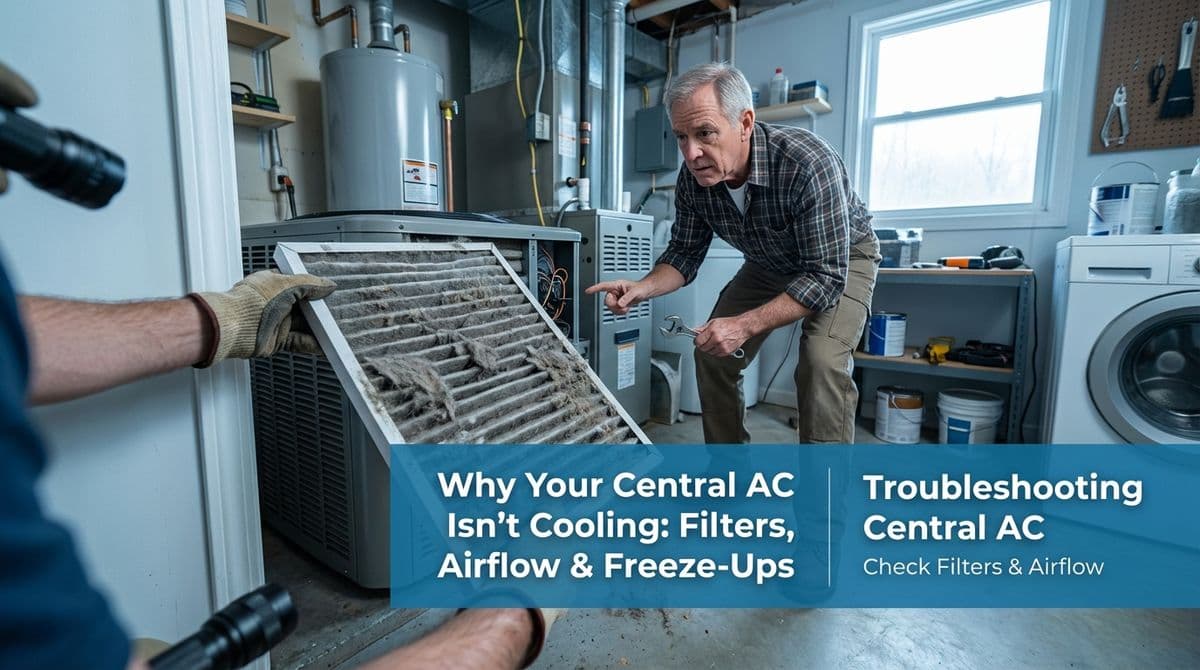
When Your Central AC Runs All Night But Still Feels Warm
We recently got a call from a homeowner — let's call him Mark — who was worried his central AC wasn’t really cooling. He told us he’d set his thermostat to cool because the house had crept up to around 78°F. By morning, it had only dropped to about 73°F, even though the unit had been running for hours.
What really concerned Mark was that this had happened before and his system had actually frosted up. This time, he didn’t see any obvious ice on the outside lines, but he suspected something still wasn’t right and wanted us to come out and check it.
As we listened, one thing immediately caught our attention: he mentioned he “forgot to turn it off” and knew that usually caused frost. That pattern — long run times, poor cooling, and past freeze-ups — often points to a simple but serious culprit: airflow problems from a dirty filter.
Why Dirty Filters and Poor Airflow Make AC Systems Freeze
Before we even talk about refrigerant or major repairs, we almost always start where we started with Mark: airflow. Central AC systems rely on a steady stream of warm indoor air moving across the evaporator coil. When that airflow drops, the coil can get too cold and start to ice over.
Here’s why a dirty filter is such a big deal:
- Restricted airflow – A clogged filter chokes off the amount of air reaching the coil.
- Coil temperature drops too low – With less warm air to absorb heat, the refrigerant can get colder than it should.
- Moisture turns to ice – Humidity in the air condenses on the coil and then freezes, creating a layer of ice.
- Cooling gets worse – Ice acts like insulation, so the more it freezes, the less your system can cool.
The end result? Your AC can run nonstop, make all the usual noises, even blow air from the vents — but your home barely cools down, just like what Mark was experiencing.
The First Thing We Asked Mark To Check: His Air Filter
On the call, we walked Mark through a quick check he could do right away. He had a large central AC unit in the basement with a slide-out air filter. We asked the same questions we ask almost every homeowner:
- Where is your filter located — at the furnace/air handler or behind a return grille?
- Is it a 1-inch filter or a thicker (3–5 inch) media filter?
- When was the last time you changed or cleaned it?
Mark told us his was a 1-inch thick filter, “a big rectangle,” and he had looked at it a month or two ago but “forgot to clean it.” That was a red flag for us. With 1-inch filters, a month or two — especially during heavy cooling season — is often long enough for them to get dirty enough to cause airflow issues.
What You Should Check First If Your AC Isn’t Cooling
If your central air is running but not really cooling, and you’re worried about freeze-ups, here are the first things we recommend homeowners check before we even come out:
1. Inspect and Change the Air Filter
- Turn the system off at the thermostat (set it to OFF).
- Locate the filter at the unit or return grille and slide it out carefully.
- Hold it up to the light — if you can’t see much light through it or it looks gray and fuzzy, it’s time to replace it.
- Make sure the airflow arrow on the new filter points toward the furnace/air handler.
For most homes with 1-inch filters, we recommend checking every 30 days during the cooling season and replacing at least every 1–3 months, depending on dust, pets, and allergies.
2. Look for Signs of Ice or Frost
- With the system off, take a look at the copper lines near the outdoor unit.
- If you see ice or heavy frost on the larger insulated line or the smaller bare line, that’s a sign the system has already frozen up.
- Inside, if you can access the evaporator coil area, you might see frost there too — though often it’s hidden under panels.
If you do see ice, keep the AC off and switch the fan to ON at the thermostat. Let the system thaw for several hours before trying to cool again.
3. Check Vents and Returns for Blockages
- Make sure supply vents are open and unobstructed by furniture, rugs, or curtains.
- Confirm return grilles aren’t blocked — the system needs enough air coming back to it.
- A house with many closed vents can create the same restriction problems as a dirty filter.
When It’s Time to Call a Professional
If you’ve changed a dirty filter, cleared vents, and given the system time to thaw but your AC still isn’t cooling properly, it’s time to have a technician take a closer look.
Some issues that require professional service include:
- Low refrigerant charge or a refrigerant leak
- Blower motor or fan speed problems
- Coil that’s deeply impacted with dust or debris
- Ductwork restrictions, damage, or design issues
With Mark, we started with the simple checks over the phone — filter, frost, and thermostat settings. If those basic steps didn’t restore normal cooling, our next move would be to schedule a diagnostic visit to test refrigerant levels, inspect the coil, and verify the blower and airflow.
Key Takeaway for Homeowners
When your AC runs but doesn’t cool, or you’ve had freeze-ups in the past, don’t assume the worst right away. Very often, the problem starts with airflow — especially a dirty 1-inch filter that hasn’t been changed in a month or two.
If you’re seeing similar symptoms to what Mark described — long run times, small temperature drops, or suspected frost — start with the simple checks above. And if things still don’t feel right, we’re always here to inspect your system, get to the root of the problem, and help your home stay comfortable all summer.